> ## Documentation Index
> Fetch the complete documentation index at: https://docs.fenado.ai/llms.txt
> Use this file to discover all available pages before exploring further.
# Troubleshooting (Archived)
> Common errors and how to navigate them
This is the legacy documentation for our original platform, Cades. Our platform has evolved significantly since then to offer both app and website creation capabilities. Find the new documentation [here](/welcome).
Here are the common errors occuring during the alpha ide setup and how to navigate them.
## Generated code error
Run `flutter pub get` if the project is not compiled and you see red screens.
Initial code will have some errors related to icon names, you can fix them or remove them and run the project.
Icon name issue
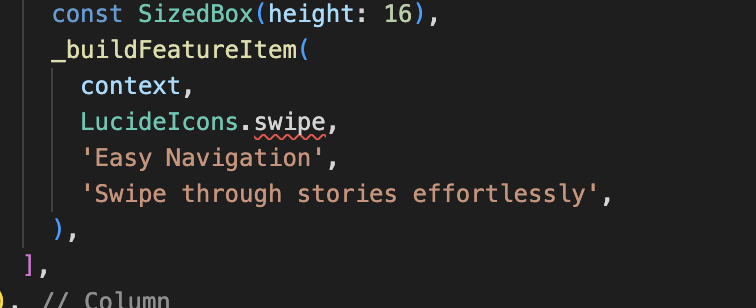 Sometimes the agent will try to use icons that are not present, we are using lucide icons, you can refer the docs
for lucide to find appropriate icons if you wish to edit
[https://lucide.dev/icons/](https://lucide.dev/icons/)
## Cades Agent showing incorrect api key
Sometimes the agent will try to use icons that are not present, we are using lucide icons, you can refer the docs
for lucide to find appropriate icons if you wish to edit
[https://lucide.dev/icons/](https://lucide.dev/icons/)
## Cades Agent showing incorrect api key
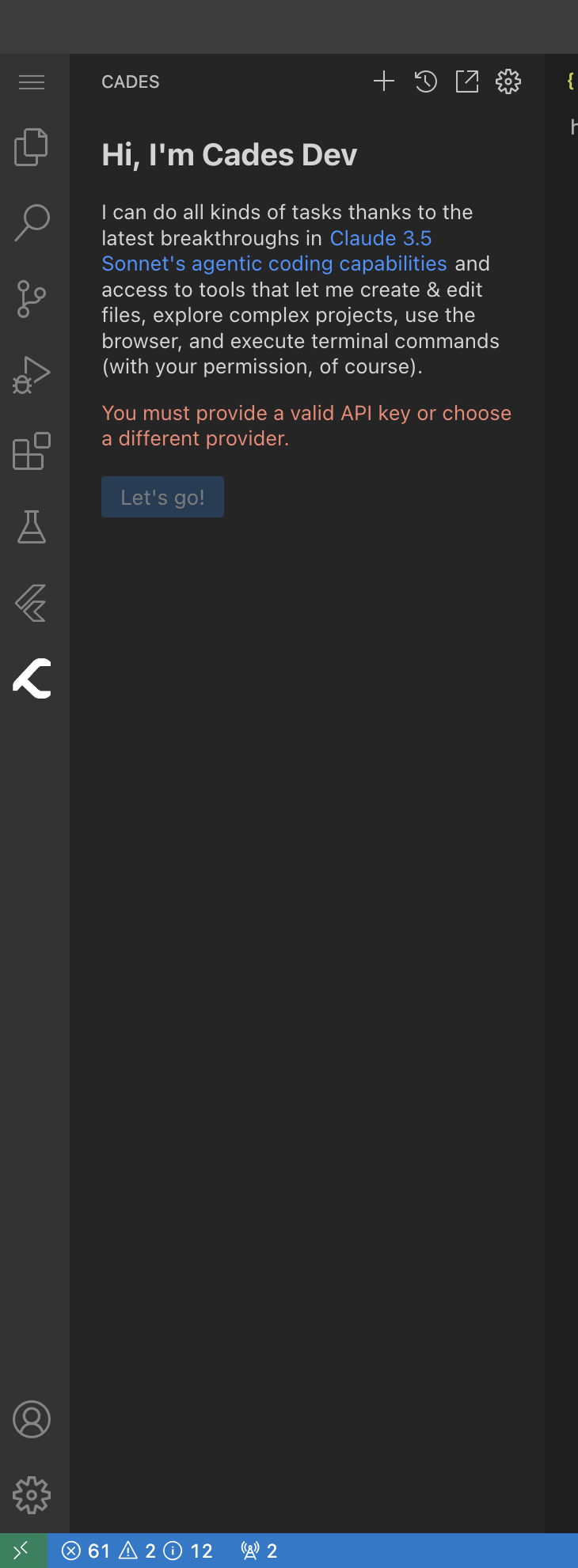 When you log in to the ide for the first time you might see this error, when you first try to press lets go on the cades agent extension.
To get around this just refresh the page and try again to go through the welcome screen and press let's go. Should be fixed.
If still facing issues contact for support in the community
## Quitting the Cades server
Before exiting the server press 'q' on the cades run command to exit the preview hot reload. If unable to run the cades run command again for a different project, contact support.
Manually killing the server
If you run into the issue when you are unable to run the cades command because it is already running
When you log in to the ide for the first time you might see this error, when you first try to press lets go on the cades agent extension.
To get around this just refresh the page and try again to go through the welcome screen and press let's go. Should be fixed.
If still facing issues contact for support in the community
## Quitting the Cades server
Before exiting the server press 'q' on the cades run command to exit the preview hot reload. If unable to run the cades run command again for a different project, contact support.
Manually killing the server
If you run into the issue when you are unable to run the cades command because it is already running
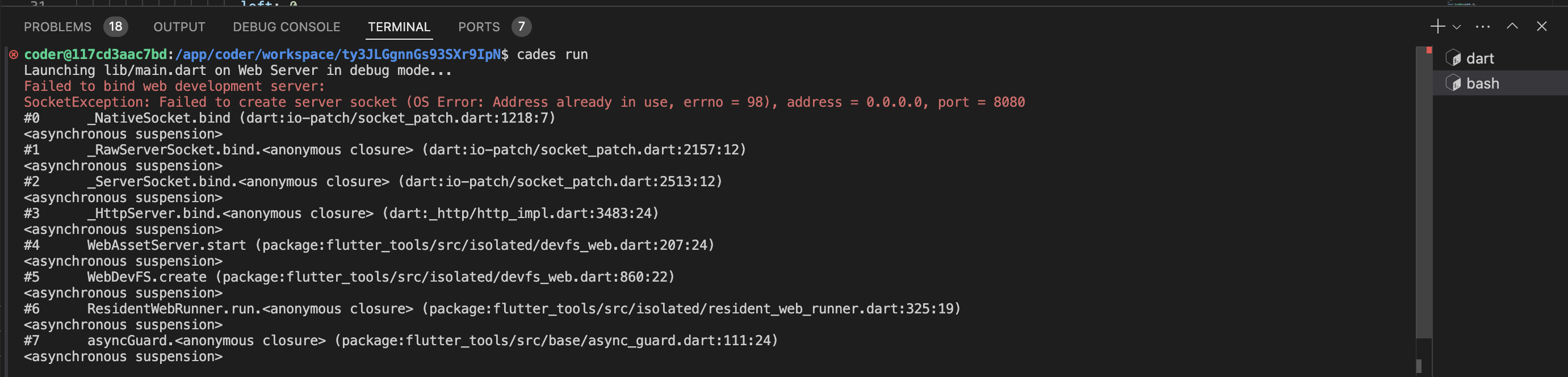 * Find the process of the web server
```
ps aux | grep "web-server --web-port=8080"
```
* Find the process of the web server
```
ps aux | grep "web-server --web-port=8080"
```
 * Kill the process
```
kill -9 pid
```
Like in the above example the pid is `110858`
## Changes not reflected in the preview
Press 'r' after running the cades run command to hot reload the changes. You will need to manually press refresh button on the preview screen to see the changes.
* Kill the process
```
kill -9 pid
```
Like in the above example the pid is `110858`
## Changes not reflected in the preview
Press 'r' after running the cades run command to hot reload the changes. You will need to manually press refresh button on the preview screen to see the changes.