> ## Documentation Index
> Fetch the complete documentation index at: https://docs.fenado.ai/llms.txt
> Use this file to discover all available pages before exploring further.
# Introduction (Archived)
> Introduction to the Cades Cloud IDE
This is the legacy documentation for our original platform, Cades. Our platform has evolved significantly since then to offer both app and website creation capabilities. Find the new documentation [here](/welcome).
# Cades Cloud IDE
After creating designs, You can generate code and access the cloud ide to make changes using cades agent.
## Running the project
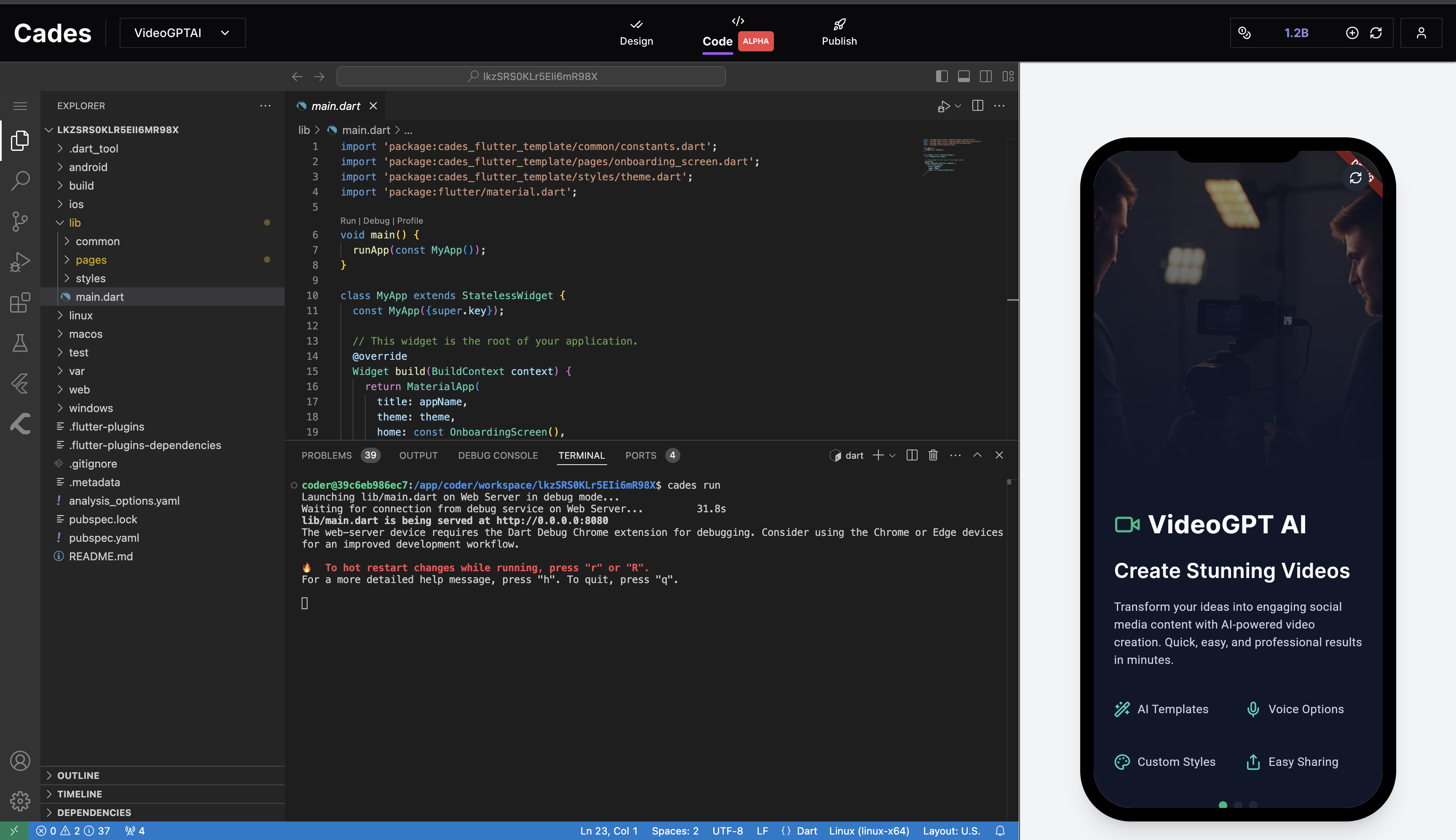 You can run your project using the `cades run` command in the terminal. This will start the server to see your app.
Click the refresh button on the preview panel and you can start making changes to your app
## Making iterations
You can run your project using the `cades run` command in the terminal. This will start the server to see your app.
Click the refresh button on the preview panel and you can start making changes to your app
## Making iterations
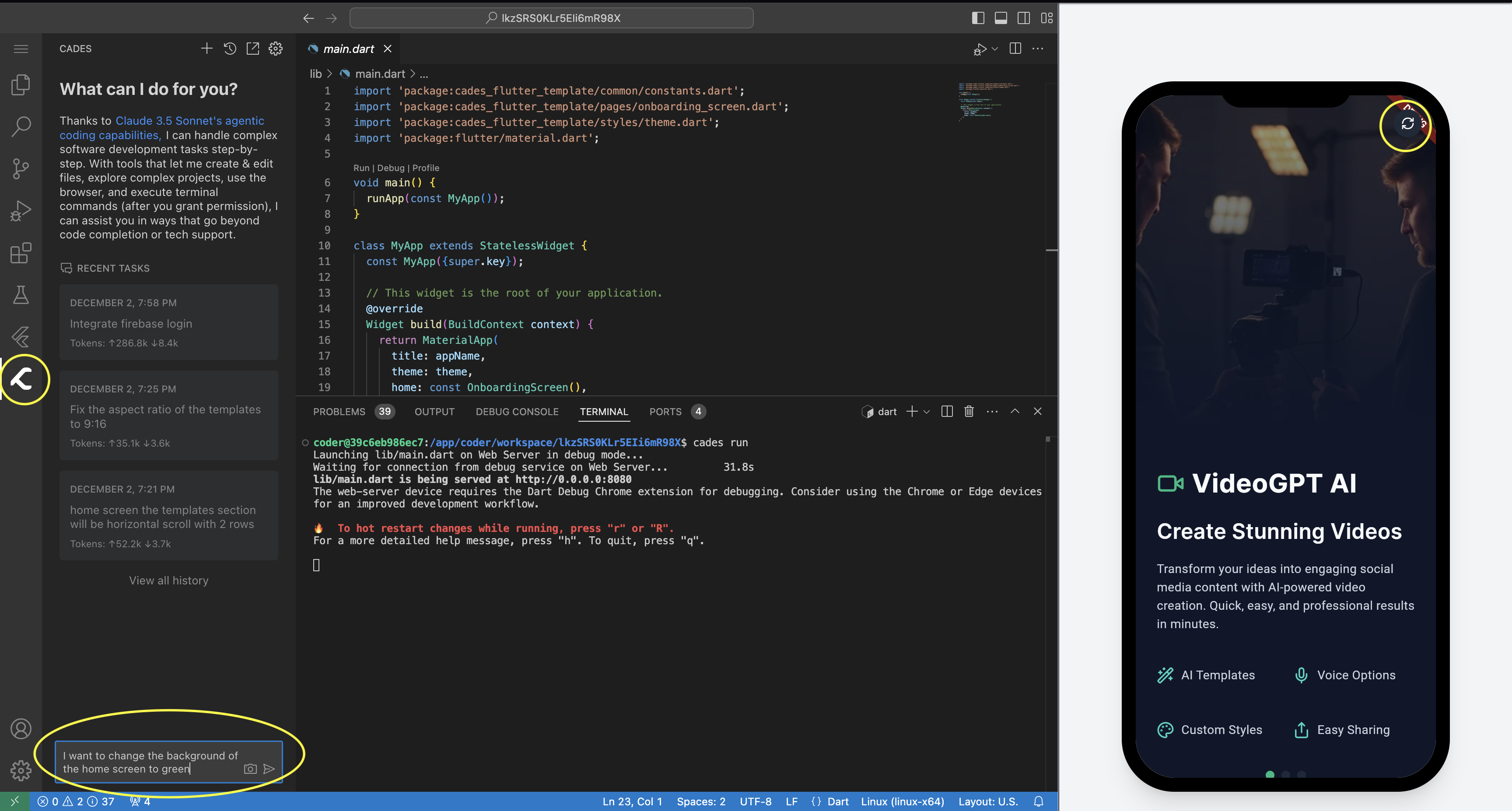 Using the cades agent you can prompt and integrate any features you want in the app.
* Access the cades agent by pressing the cades logo on the right side
* Make your iterations in the chat box
* Refresh button is marked on top right corner of the preview
After you are satified with the changes press r in the terminal to hot reload the changes.
Click the refresh button to reload the hot changes into your preview screen.
## Notes
* Before quitting the project make sure you press 'q' to stop the hot reload server, and run the cades run command for next time when you want to use any other project.
Using the cades agent you can prompt and integrate any features you want in the app.
* Access the cades agent by pressing the cades logo on the right side
* Make your iterations in the chat box
* Refresh button is marked on top right corner of the preview
After you are satified with the changes press r in the terminal to hot reload the changes.
Click the refresh button to reload the hot changes into your preview screen.
## Notes
* Before quitting the project make sure you press 'q' to stop the hot reload server, and run the cades run command for next time when you want to use any other project.